
MYCURE X - How To Archive Products
3 min read
This tutorial guides you through the process of archiving products in the MYCURE inventory system. Archiving allows you to remove obsolete or discontinued products from your active inventory list while preserving their historical data for reporting and auditing purposes.
What You'll Learn
How to navigate to the Products section in MYCURE
How to select and archive products from your inventory
How to confirm the archive action to avoid accidental archiving
Before You Begin
You need a MYCURE v10 account with inventory management permissions
Make sure you have identified which products need to be archived
Note that archived products can be restored later if needed
Steps
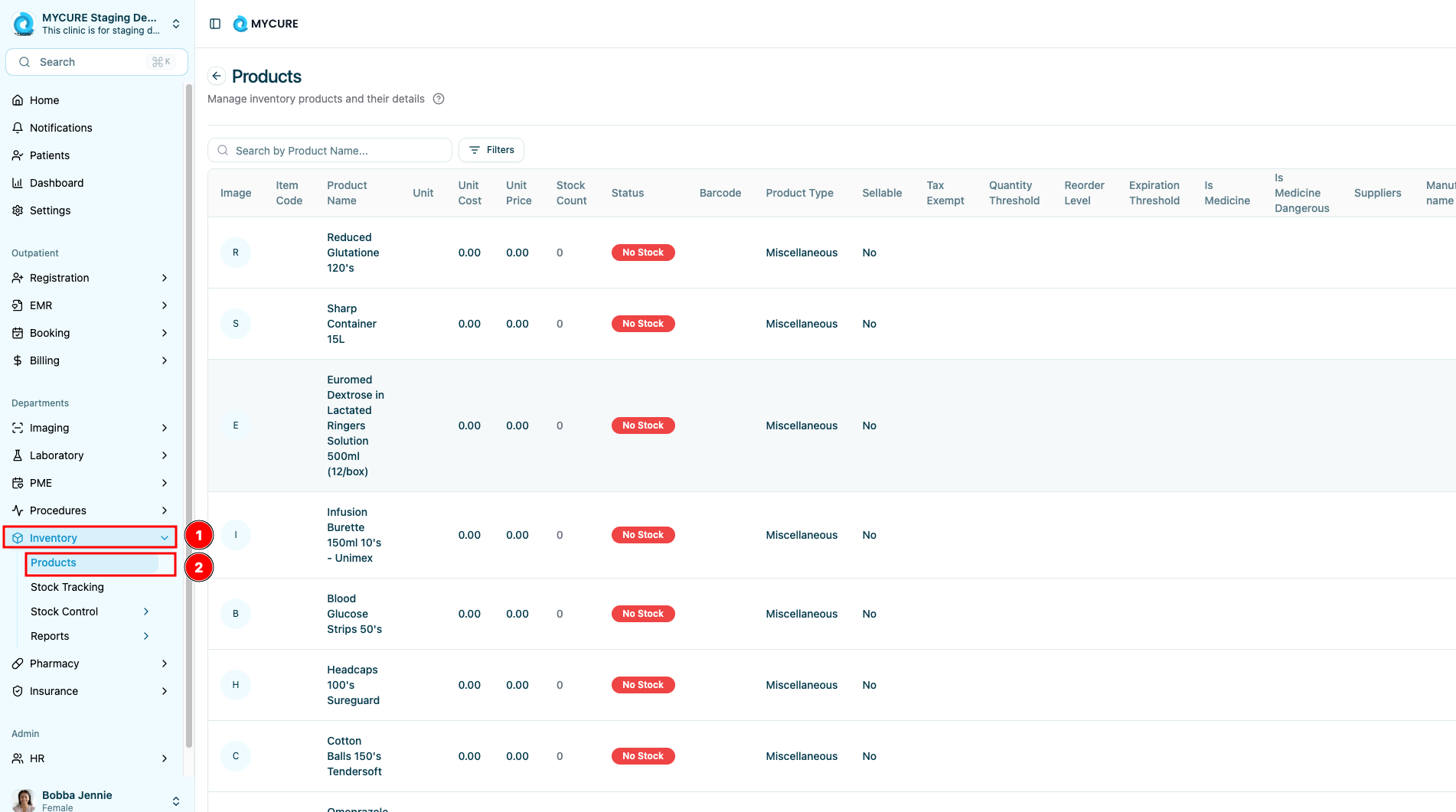
1. Navigate to the Products Section
Log in to your MYCURE account
Locate and click on the Inventory option in the main navigation bar
From the dropdown menu, click Products
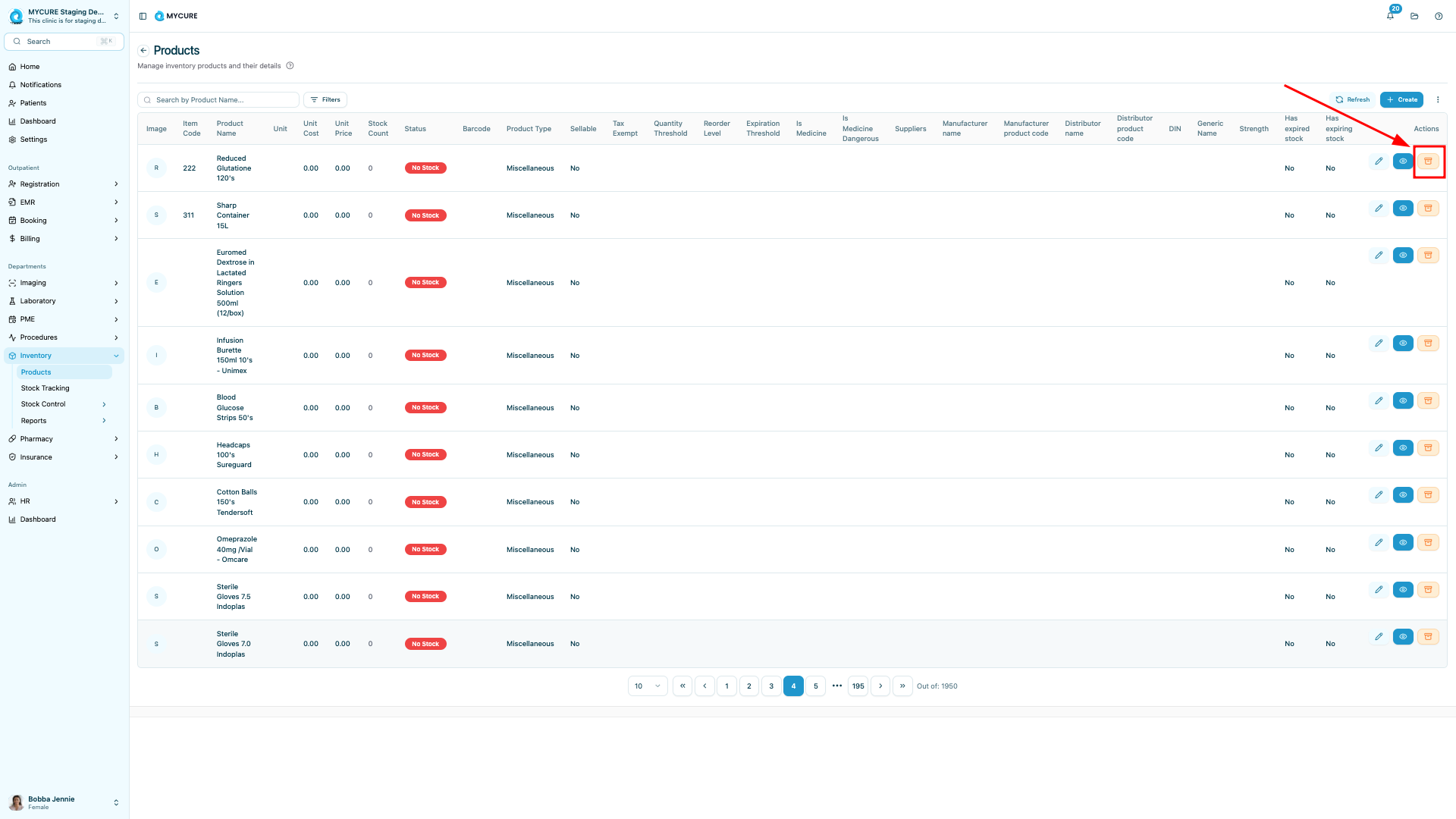
2. Archive the Product
With the product selected, locate and click the orange Archive button under the Actions column
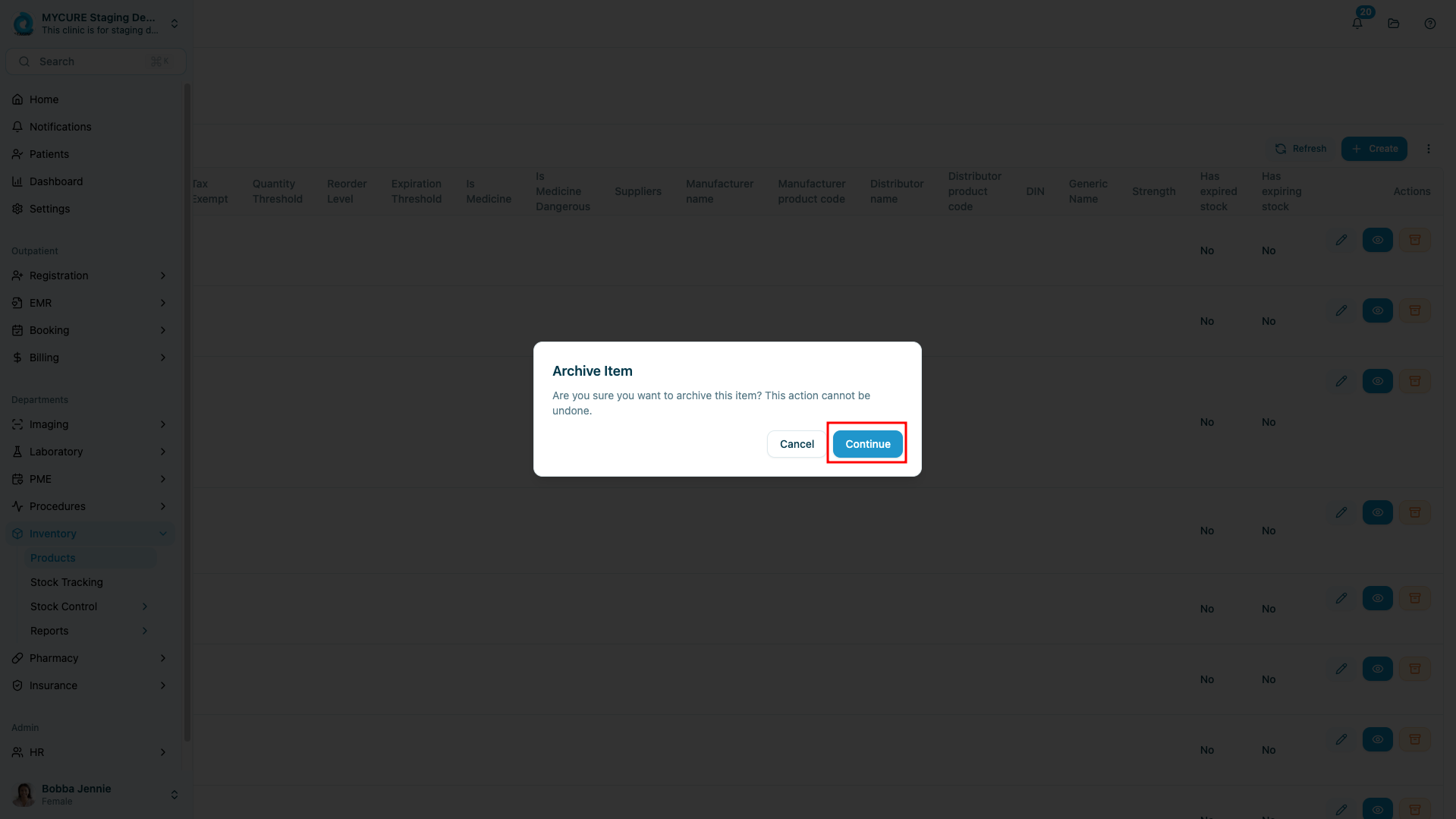
A confirmation dialog will appear asking you to confirm this action
Click Continue to confirm and complete the archiving process
3. Verify the Archiving Action
Click Continue when the dialogue box appears which will then remove the product from the list.
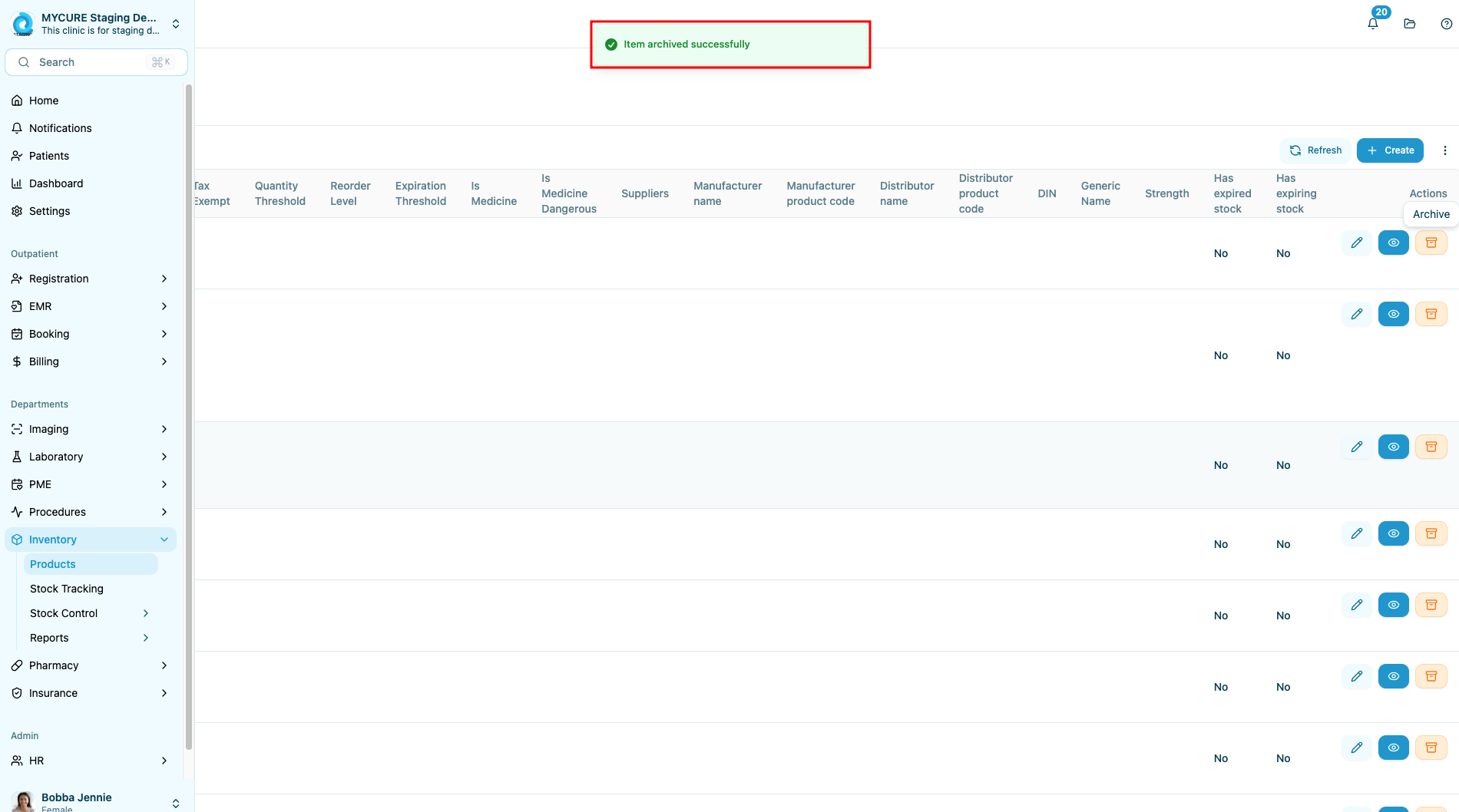
- A confirmation notification if the archive is successful will appear.
Tips and Common Issues
Tip:
Before archiving multiple products, consider exporting a backup of your current inventory list for reference.
Note:
Archiving a product does not delete it permanently. Archived products can still be accessed and restored if needed.
Warning:
If a product is associated with active orders or prescriptions, you may need to resolve these dependencies before archiving.
Troubleshooting
Archive button is disabled - Make sure you have selected a product and have the proper permissions to archive items
Product still appears in active list after archiving - Try refreshing the page or clearing your browser cache
Unable to find recently archived product - Check the Archived Products section, which may be accessed through a filter or tab in the Products interface